# Web GUI
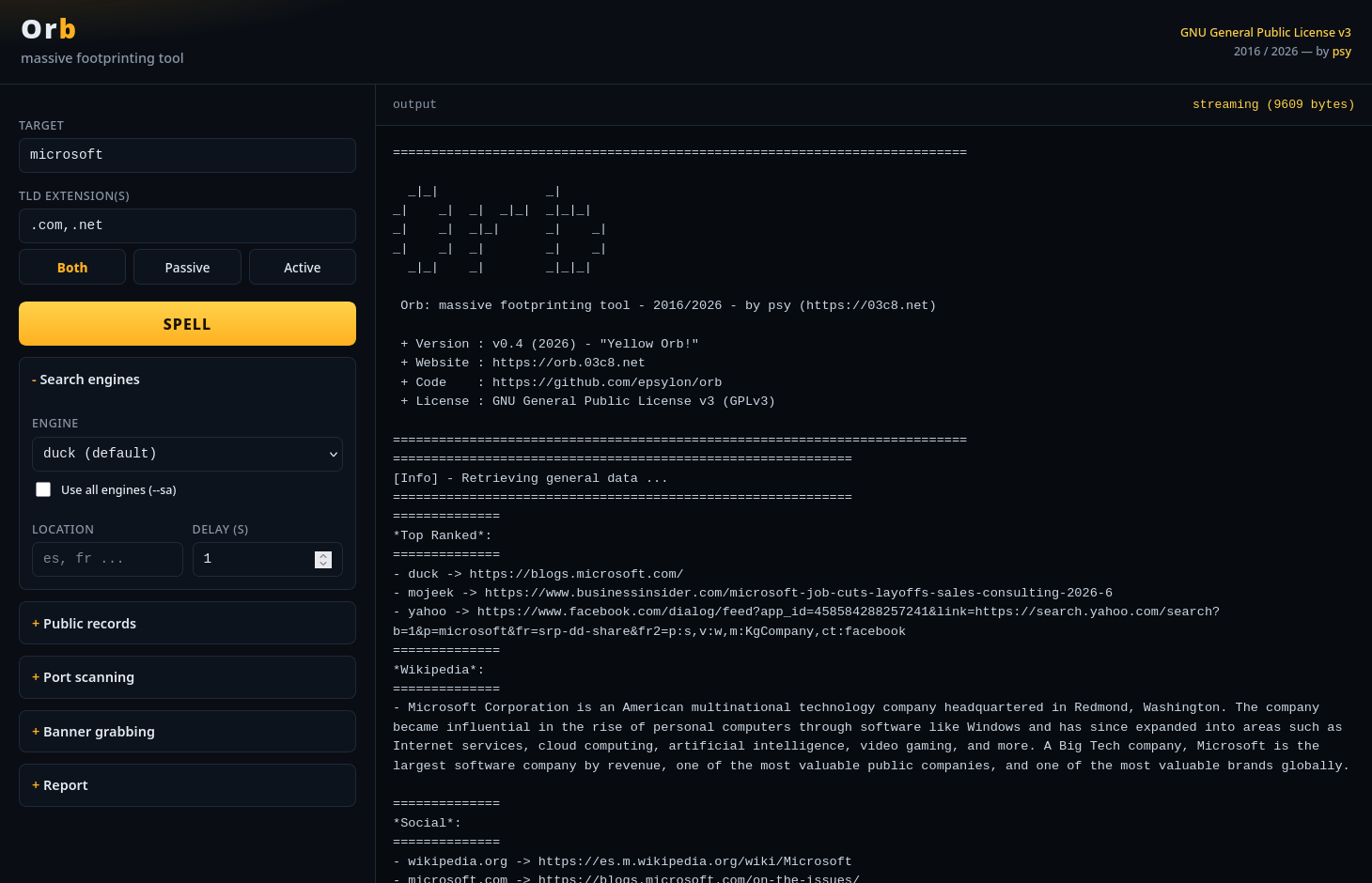
Prefer clicking to typing? Orb ships with a built-in web interface. Launch it with
python3 orb --gui, set your target, tune the options and watch the footprinting
stream live in your browser.
a libre, massive footprinting tool
Orb is a massive footprinting tool. It uses passive and active —automated— methods to provide real information about a target. You only need to set a concept to start gathering data. When finished, Orb builds you some fancy reports.
One command, a full reconnaissance pipeline — every stage can be toggled on or off.
Query one source or all of them at once, and switch engines as they come and go.
Onion (Tor) records retrieved through the Ahmia gateway.
Registrant, creation, expiration and last-update dates for every discovered domain.
Passive subdomain discovery from search-engine results — no bruteforcing.
Resolve A, NS, MX and TXT records, with custom resolvers if you want.
Nmap-powered TCP/UDP scanning across the full port range with service detection.
Fingerprint services: state, product, version, name, extra info and CPE.
Vulnerability lookups powered by the NVD (National Vulnerability Database) API.
Every run is logged per target as raw text and, optionally, structured JSON.
Optional local web interface to drive Orb from your browser.
Built-in Tor connection check to verify you are routing through the network.
Pull the latest stable version straight from the git repository.
Prefer clicking to typing? Orb ships with a built-in web interface. Launch it with
python3 orb --gui, set your target, tune the options and watch the footprinting
stream live in your browser.
Orb runs on many platforms. It requires Python 3 and a few libraries:
ddgs, whois, dnspython, python-nmap and requests.
git clone https://github.com/epsylon/orb
cd orb

sudo apt-get install nmap python3-pip
pip3 install -r orb/docs/requeriments.txt

pip3 install ddgs whois dnspython python-nmap requests --user
The Nmap system binary is required for the active port-scanning features.
Point Orb at a concept and let it work. A few common invocations:
python3 orb --spell='target'

python3 orb --spell='target' --ext='.com,.net,.org' --sa

python3 orb --spell='target' --passive --se='bing'

python3 orb --spell='target' --active --scan-tcp --scan-ports='1-1024'

python3 orb --spell='target' --resolver='1.1.1.1,8.8.8.8'

python3 orb --spell='target' --show-filtered --json='target.json'

python3 orb --spell='target' --delay='2'

python3 orb --spell='target' --ext-f='core/sources/user-exts.txt'

python3 orb --spell='target' --social-f='core/sources/spain/social.txt' --news-f='core/sources/spain/news.txt'

python3 orb --gui

python3 orb --list-engines

python3 orb --check-tor

python3 orb --update--passive, --active--se, --se-ext, --sa, --list-engines--no-public, --no-deep, --no-social, --social-f, --no-news, --news-f--ext, --ext-f--no-whois, --no-subs--no-dns, --resolver--no-scanner, --scan-tcp, --scan-ports, --show-filtered, --no-scan-dns/ns/mx--no-banner, --no-cve, --no-cvs--no-log, --json, -v--delayGather public records from multiple sources. Pick one with --se, or query them all at once with --sa.
You can also target a location with --se-ext='es' (france=fr, italy=it, ...).
Orb is free software. If it is useful to you, consider supporting its development:
19aXfJtoYJUoXEZtjNwsah2JKN9CK5PcjwEZnYs33TG87ZzBWgADrj8653s3bPUqreW9